NodeMCU Lesson 11— Potentiometer & MQTT
Introduction
In this lesson, we will show how to check the potentiometer resistance value by NodeMCU, then send the resistance value to a MQTT broker via MQTT protocol,the MQTT client will subscribe to correspoding topic and get these values.
Preparation
Hardware:
- NodeMCU board x 1
- Potentiometer-10k x 1
- Breadboard x 1
- Jumper wires
- Computer x 1
Software:
- Arduino IDE(version 1.6.4+)
- ESP8266 Board Package and the Serial Port Driver
- MQTT Client(MQTTBox here)
- Arduino library: PubSubClient
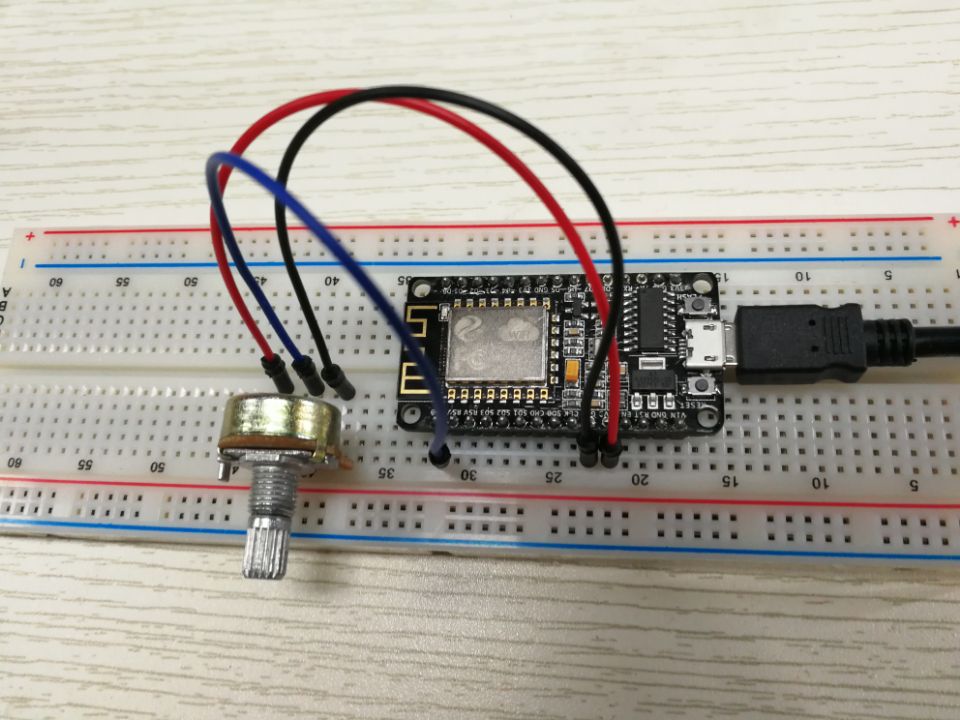
Connection
Overhere,we use A0 as the analog input pin.

Upload Sketch
Connect the NodeMCU to computer via USB cable,open this sketch by using Arduino IDE(Version1.6.4+):
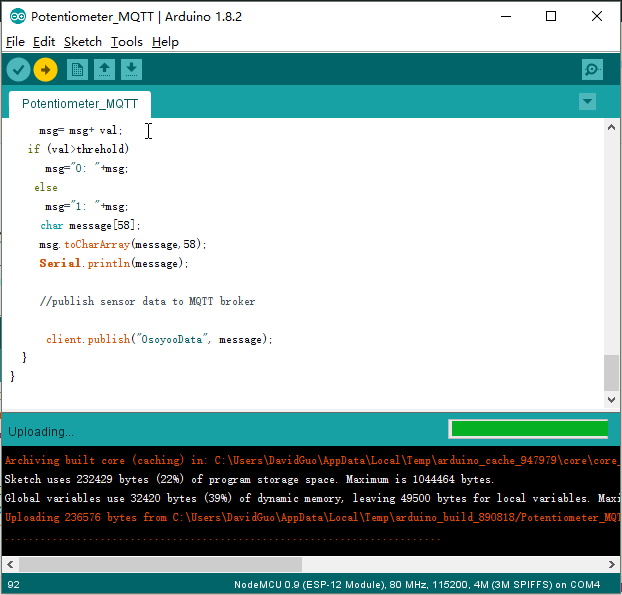
Edit the code to fit your own WiFi and MQTT settings as following operations:
1)Hotspot Configration:
const char* ssid = "your_hotspot_ssid";const char* password = "your_hotspot_password";
Find above code line,put your own ssid and password on there.
2)MQTT Server Address Setting
const char* mqtt_server = "broker.mqtt-dashboard.com";
You can use your own MQTT broker URL or IP address to set above mqtt_server value. You can also use some famous free MQTT server to test the project such as "broker.mqtt-dashboard.com", "iot.eclipse.org" etc.
3)MQTT Client Settings
If your MQTT broker require clientID,username and password authentication,you need to change
if (client.connect(clientId.c_str()))
to
if (client.connect(clientId,userName,passWord)) //put your clientId/userName/passWord here
If not,just keep them as default.
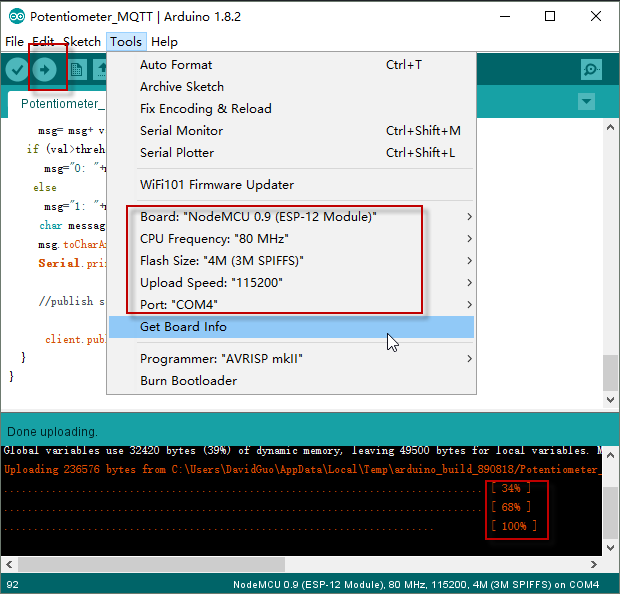
After do that,choose the coresponding board type and port type as below,then upload the sketch to the NodeMCU.
- Board:"NodeMCU 0.9(ESP-12 Module)"
- CPU Frequency:"80MHz"
- Flash Size:"4M (3M SPIFFS)"
- Upload Speed:"115200"
- Port: Choose your own Serial Port for your NodeMCU
MQTT Client Settings
About how to config the MQTT client,check this link.
Topics Settings:
- Topic to subscribe: OsoyooData
Running Result
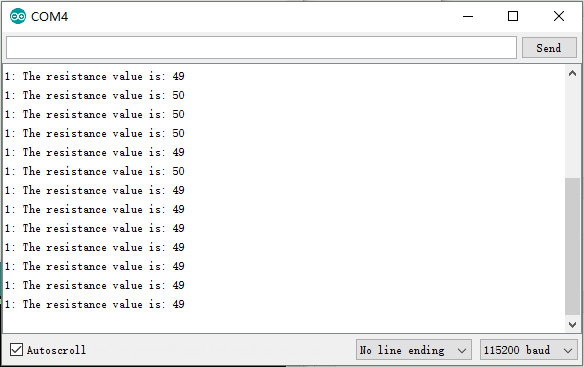
Onece the upload done,if wifi hotspot name and password setting is ok and MQTT broker is connected, open the Serial Monitor,you will see following result:
The NodeMCU serial port will show the IP address and the connection satatus,then print the resistance value.As you can see from the sketch,twist the knob of potentiometer, When the resistance value is more than 50, the serial output will be:
"0: The resistance value is: ** "
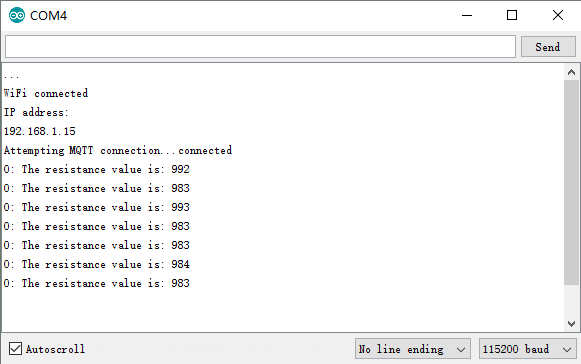
When the resistance value is less than 50, the serial output will be:
"1: The resistance value is: **"
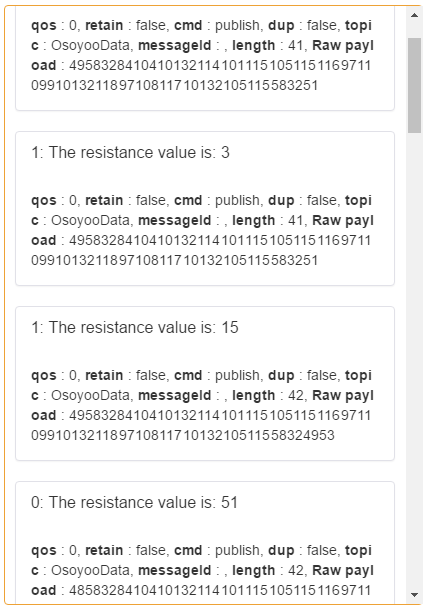
Open the MQTTBox and choose the corresponding subsucribe topic,click the Subscribe button, you will see the subscription information as below:


沒有留言:
張貼留言